
How to Update Windows 10 Operating System

How to Update Windows 10 Operating System
To make the Windows computer operating system secure, we need to check for regular updates and install the new updates. In this tutorial, we will learn steps to update the Windows 10 operating system.
Check for Updates
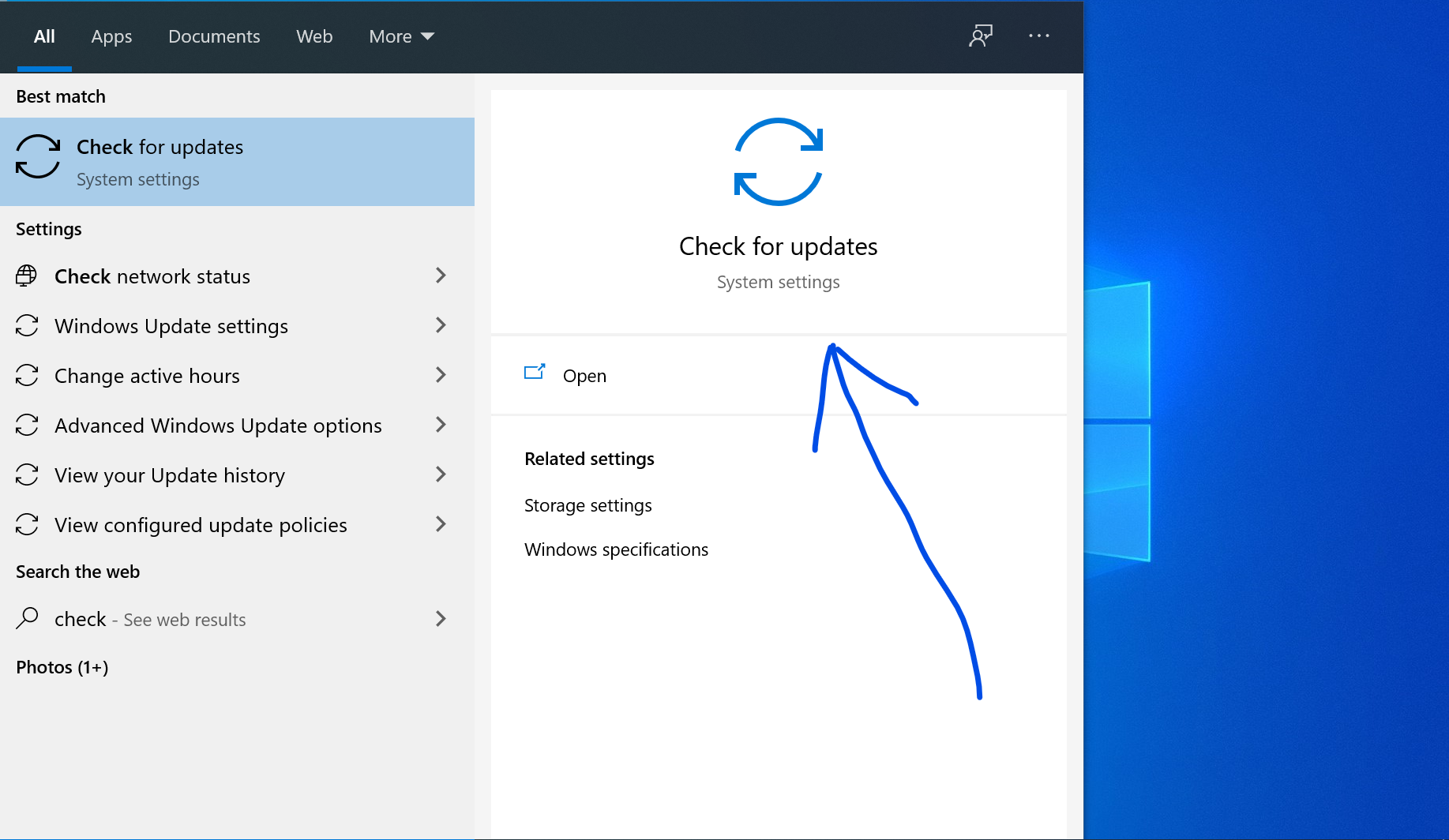
Type Check for updates in the Search bar.
Click on the link ‘Check for Updates’ in System Settings.
Download and Install
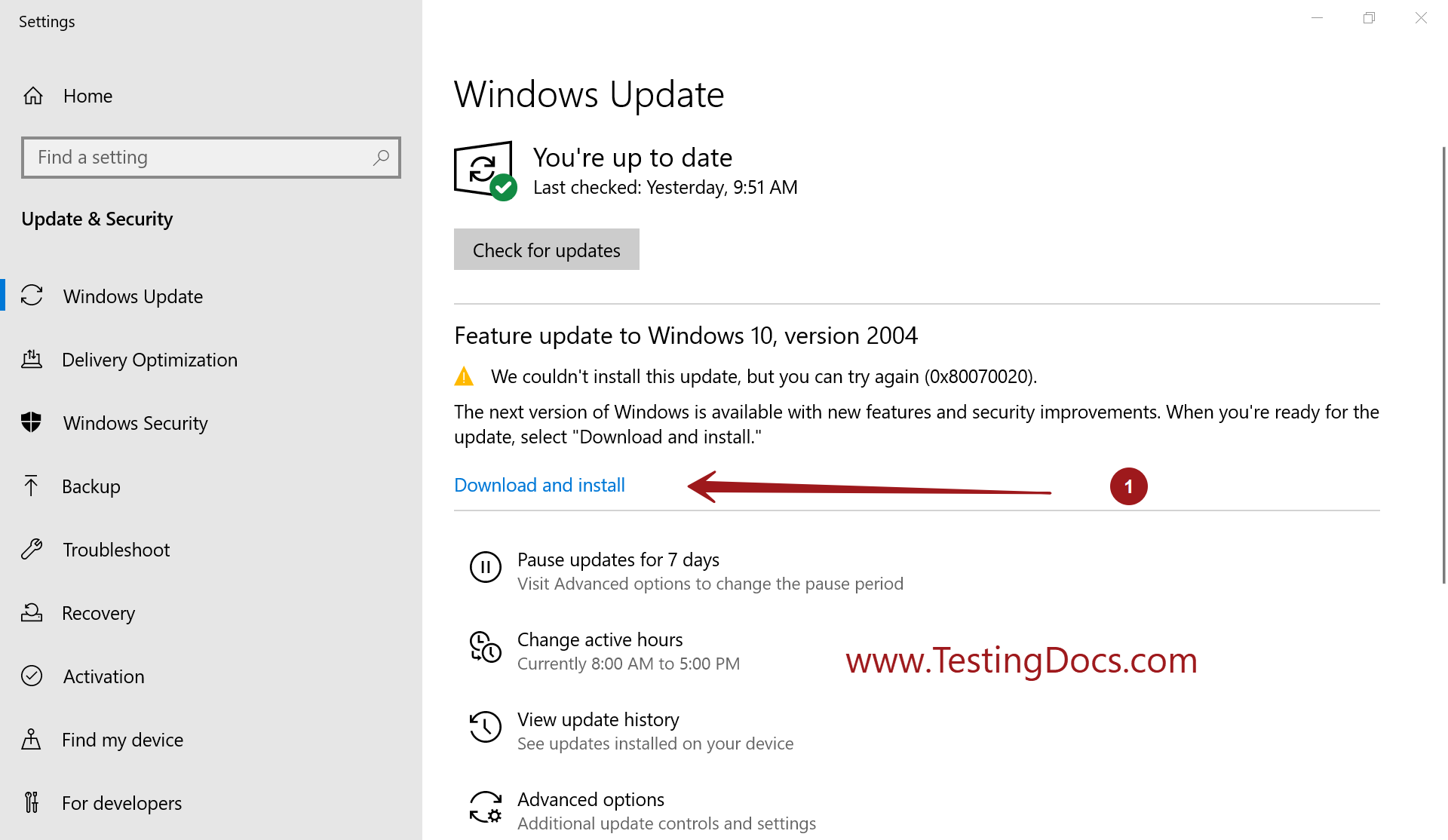
For Regular Updates and Security, patches click on the ‘Check for Updates’ button.
Click on the ‘Download and Install’ link to download the latest Feature Update for the Windows 10 operating system.
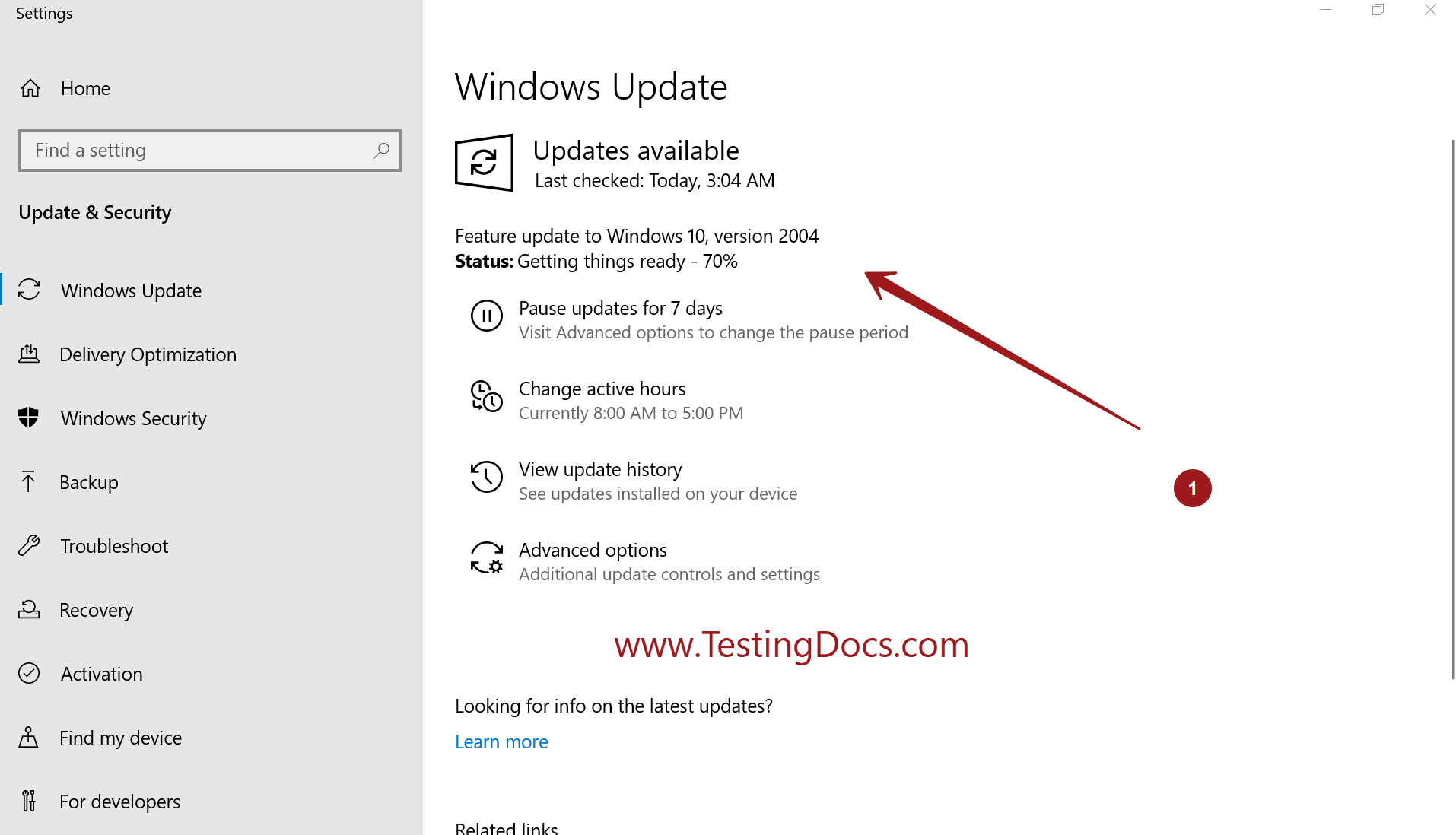
The update would download and install. Please be patient as it may take some time.
Some updates may restart the Windows machine several times during the upgrade.
We need to restart to update the operating system. Click on the Restart now button to restart the machine.