
Blog
Uninstall Flowgorithm on Windows

Uninstall Flowgorithm on Windows
Let’s go through the steps to uninstall the Flowgorithm flowchart tool on a Windows computer. These steps would help you uninstall any application on a Windows computer. This is a step-by-step guide to uninstall the tool.
Uninstall Steps on Windows 10
Steps to uninstall the Flowgorithm on Windows 10 machine.
- Type Control Panel in the Search bar.
- Open the Control Panel application.
- Click on the Programs.
- Open Programs >> Programs and Features screen.
- Choose the Flowgorithm flowchart application to uninstall.
- Click on the Uninstall button.
- Click on Yes option to “Are you sure you want to uninstall Flowgorithm?
Uninstall Steps on Windows 11
Steps to uninstall the Flowgorithm tool on Windows 11 are as follows:
Click on the Search icon in the Taskbar.
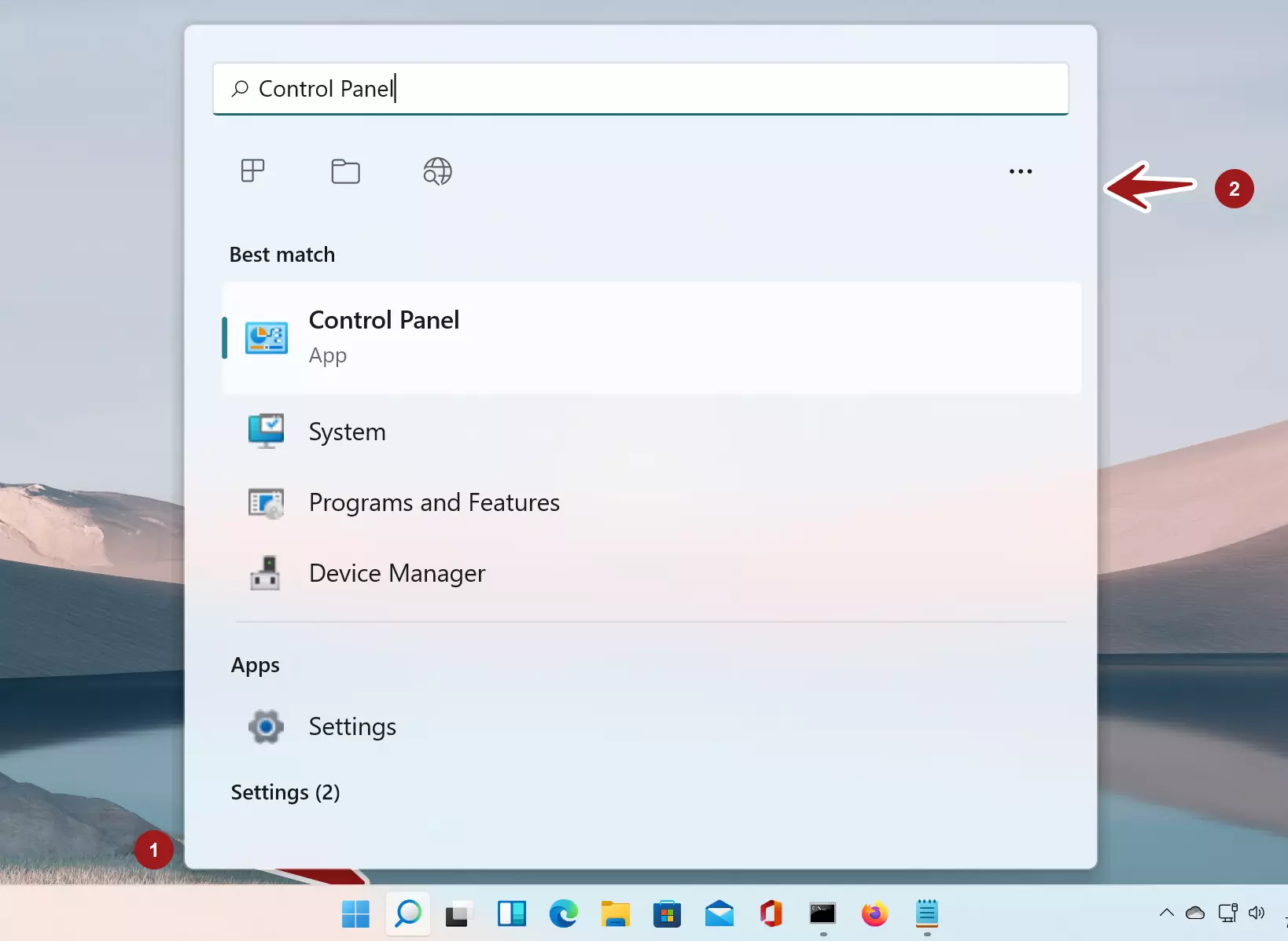
- Search for the Control Panel app.
- Select the Control Panel search result.
- Click on the Programs link.
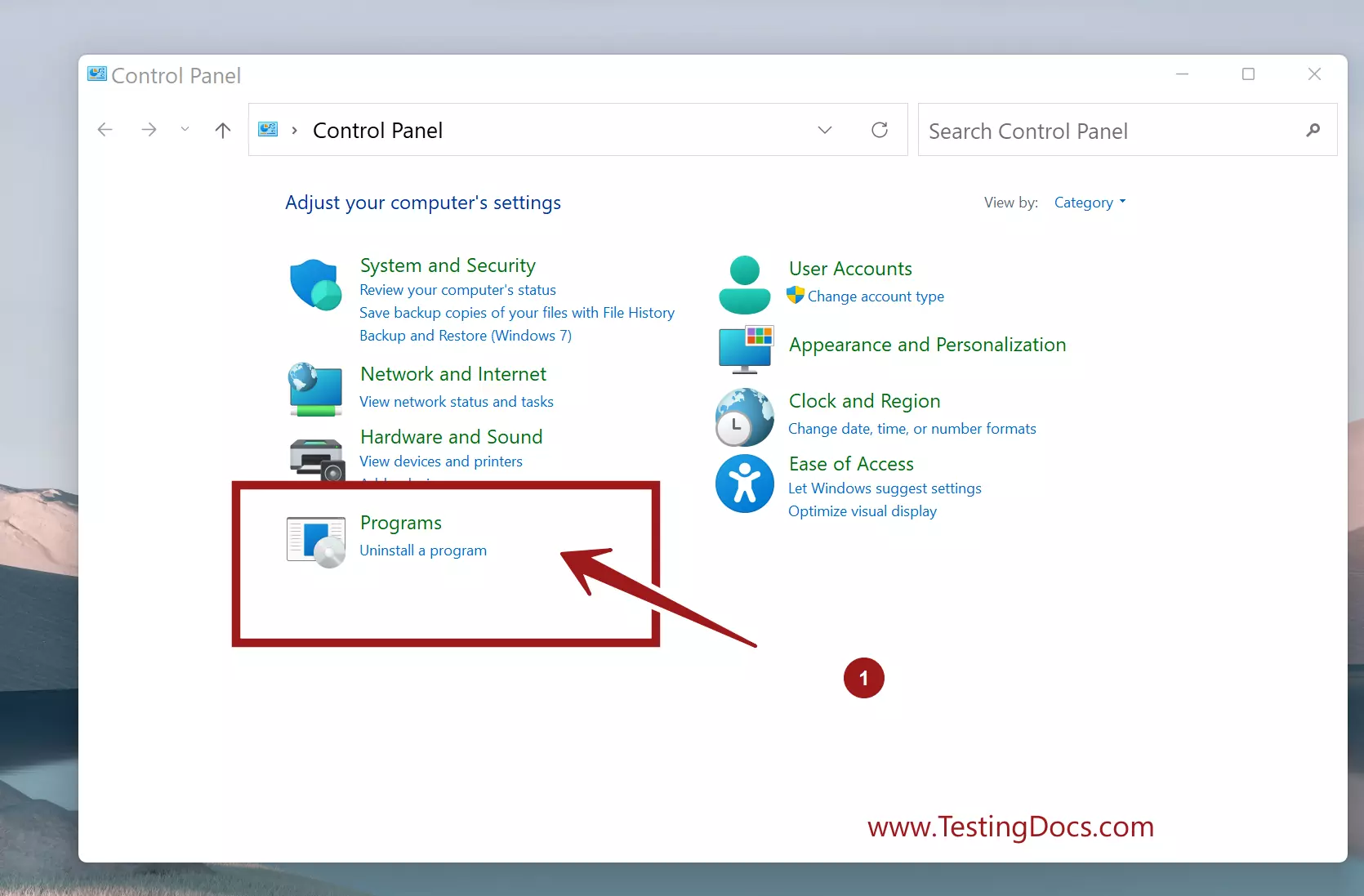
Click on the Programs and Features link.
This will open the programs that are installed on the machine.
Select the Flowgorithm application and click on the Uninstall button.
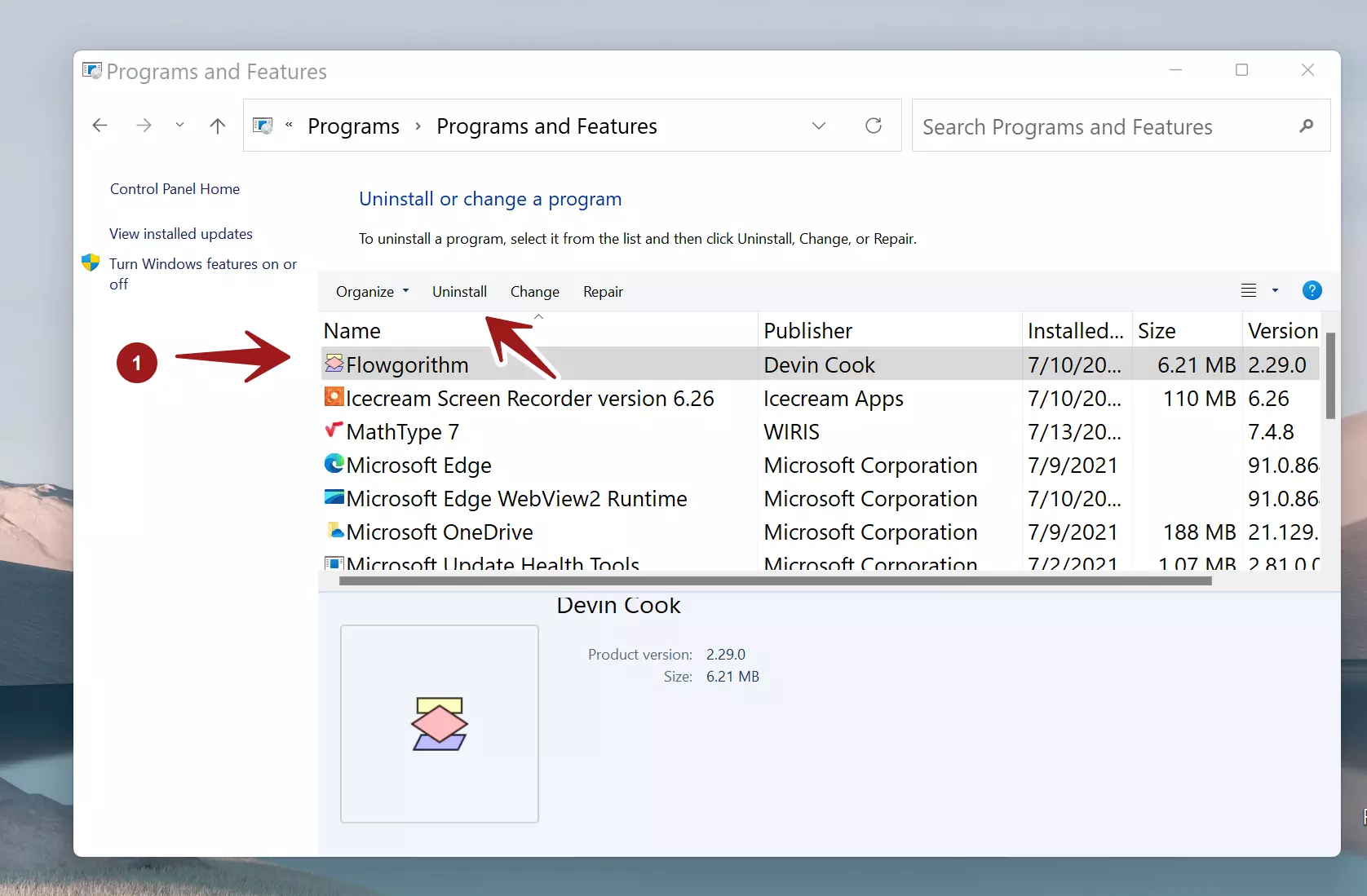
This will launch the tool’s uninstall wizard. Click on the Yes button to uninstall the application. The uninstall wizard will prompt for the UAC prompt. Click on Yes in the elevation prompt to uninstall the application.
The uninstaller will remove the application. Uninstall would remove the installation folder, associated installation files, Desktop icon entry, Registry entries, etc.
Flowgorithm Tutorials
Flowgorithm flowchart tutorials on this website: