
Blog
Upgrade MySQL Workbench on Windows

Upgrade MySQL Workbench on Windows
In this tutorial, you will learn how to upgrade MySQL Workbench on the Windows 11 operating system. We will update the existing older version of the Workbench tool to the latest version.
Steps to upgrade
Click on the Search icon in the Taskbar. Search for MySQL Workbench.
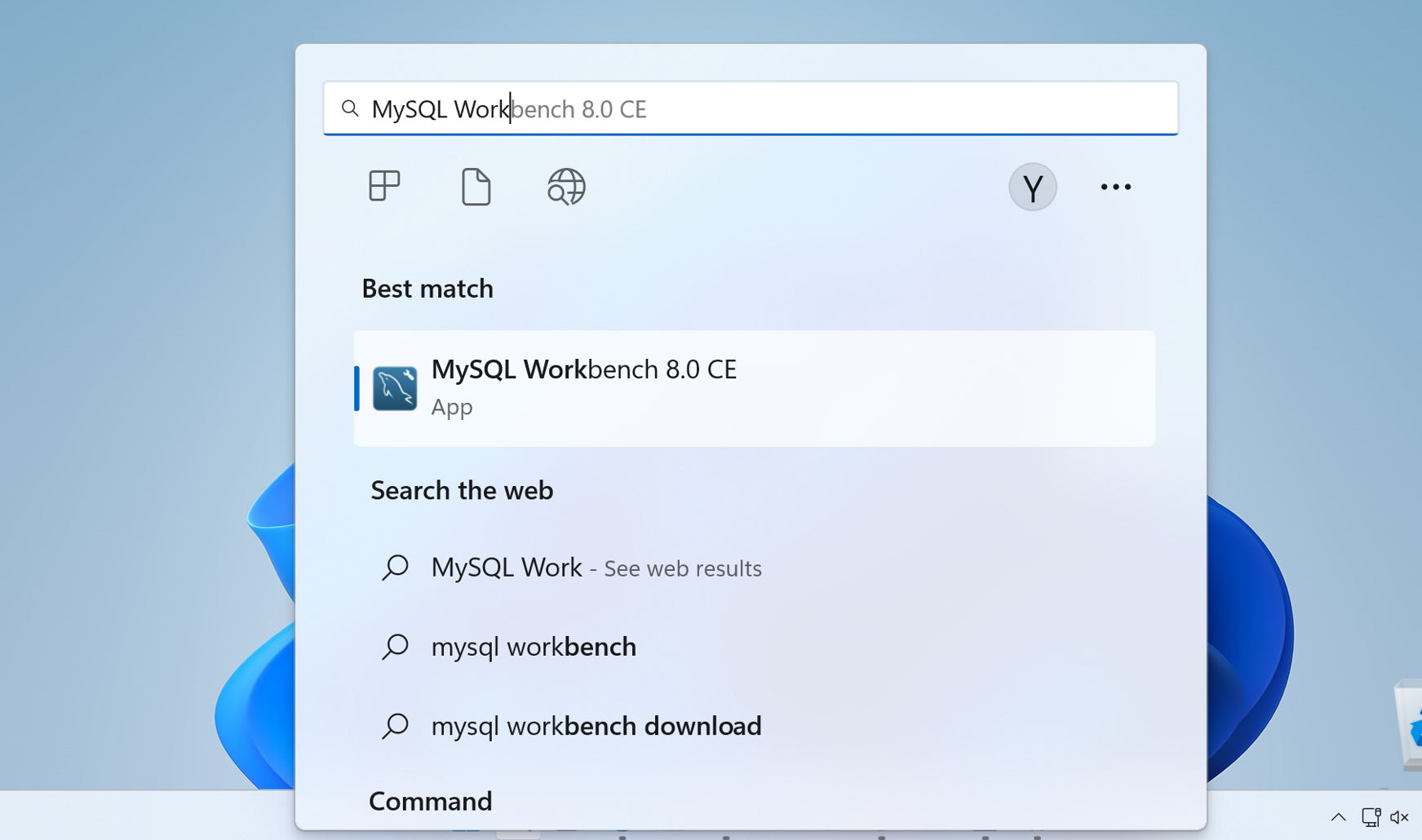
Launch MySQL Workbench tool.
Click Help >> Check for Updates
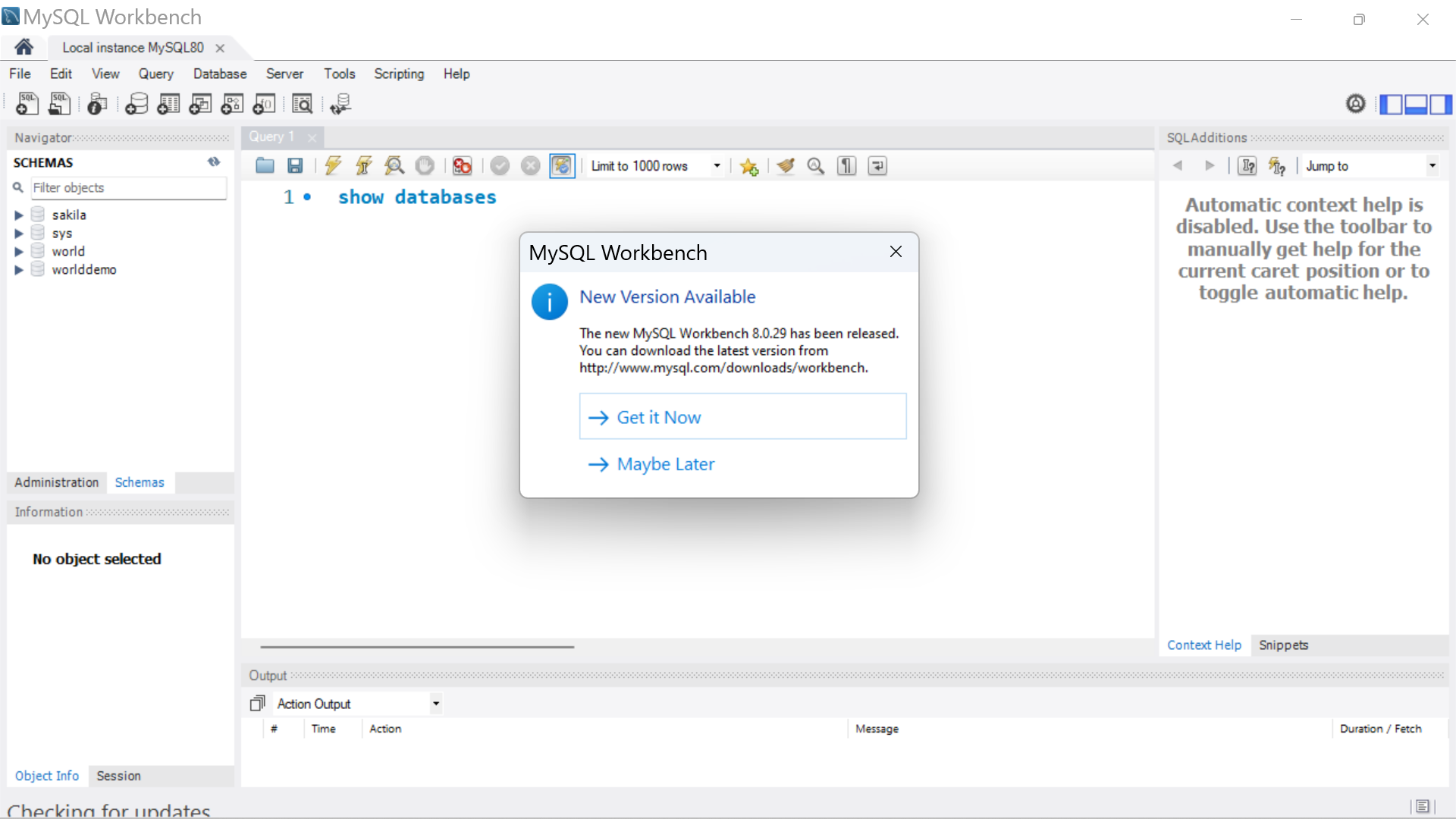
Click on the Get it Now link. This will launch the download URL.
Download the Workbench installer.
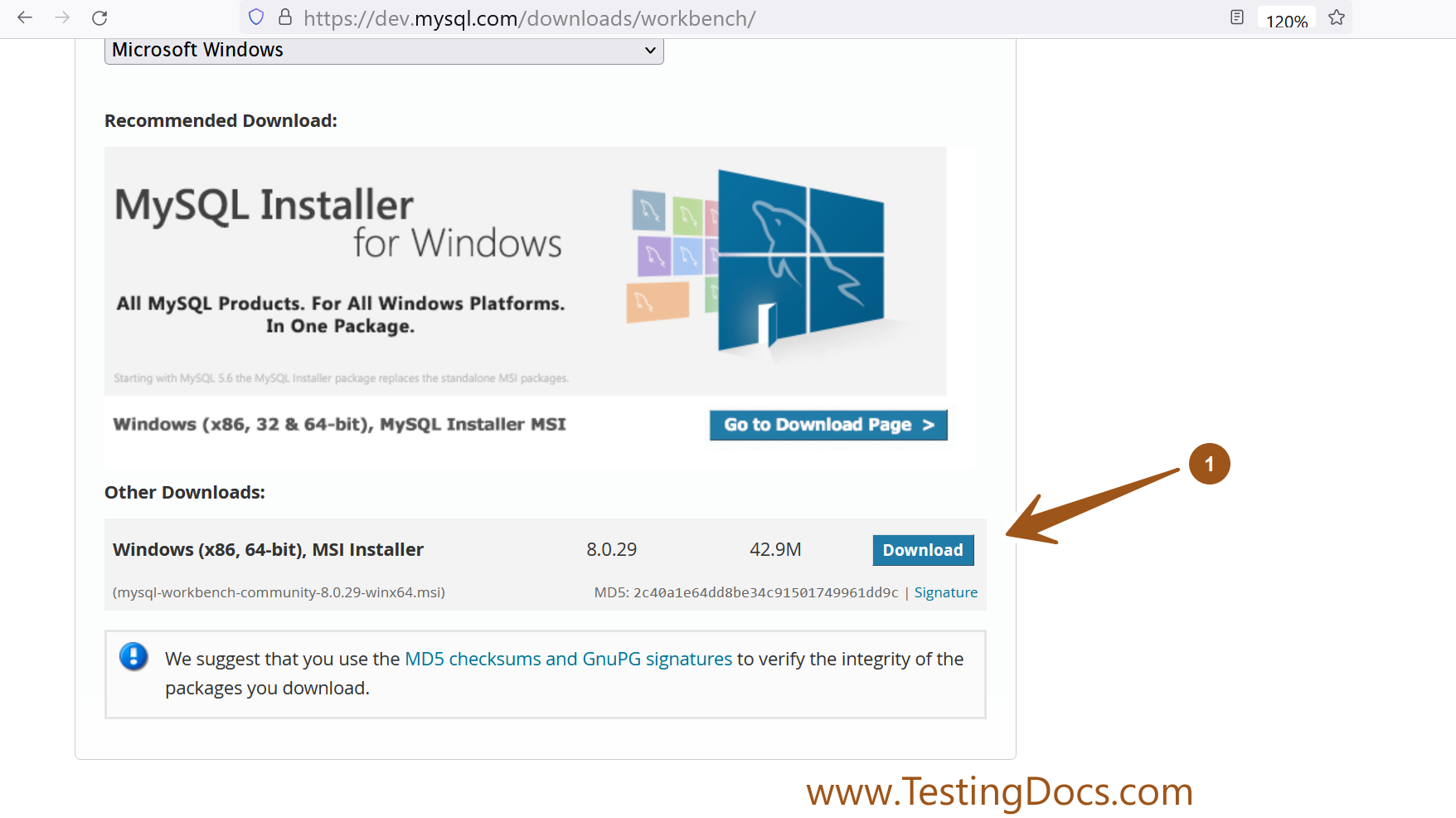
Close the older version of the Workbench tool.
Run the new installer to update the Workbench tool. Locate the installer and double-click on it. This will launch the MySQL Workbench setup wizard.
MySQL Tutorials
MySQL Tutorials on this website:
https://www.testingdocs.com/mysql-tutorials-for-beginners/