
What is Selenium Distributor?

What is Selenium Distributor?
In this tutorial, we will learn about Selenium Distributor. Distributor is new feature in Selenium 4 Grid architecture.
Selenium Distributor
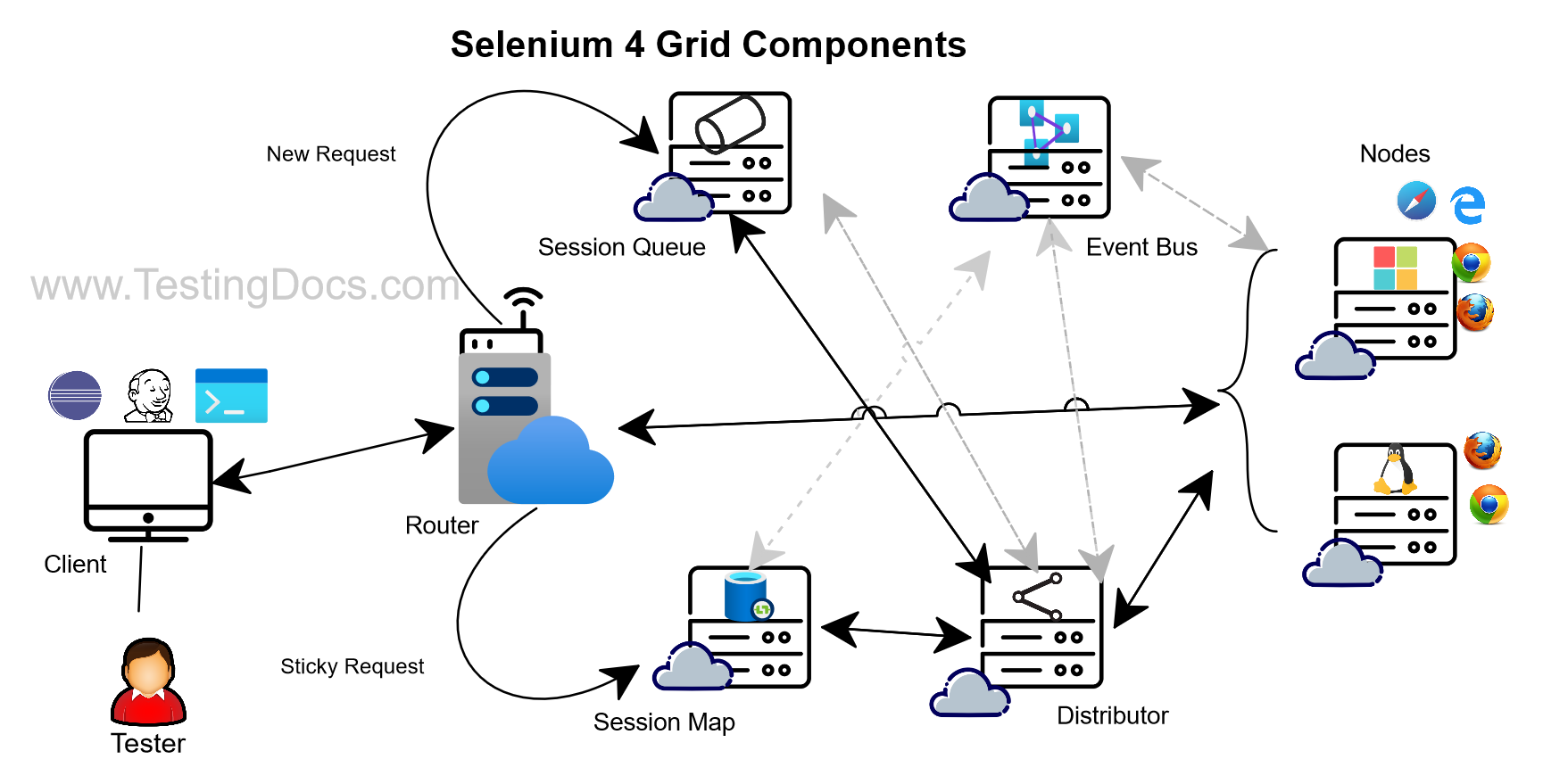
The Selenium Distributor is a core component of Selenium Grid 4. Its main responsibility is to identify an available Selenium Node that can handle a new WebDriver session and allocate the session to that Node.
In simple terms, the Distributor acts like a traffic manager: it decides which available machine should execute a browser automation test.
How does it work?
-
A test script sends a request to Selenium Grid to start a browser session.
-
The Router forwards the new session request into the Grid.
-
The Distributor checks the available Nodes and their browser capabilities.
-
It selects a suitable Node with an available slot.
-
The selected Node starts the requested browser session and executes the test.
This component is responsible and decides on which selenium node the session should run. The component periodically checks for free capabilities on the worker nodes, if available it request the Session Queue for the matching request obeying the FIFO order.
https://www.testingdocs.com/what-is-selenium-session-queue/
The distributor creates a session. It then stores the session id and the selenium Node capabilities in the Session Map data store.
https://www.testingdocs.com/what-is-selenium-sessionmap/
How to start?
Launch command prompt/Terminal
Run the following command
\> java -jar <selenium-4-server.jar> distributor –sessions <url> –sessionqueue <queueURL> –bind-bus false

In the above command we are not binding the Event bus. So make sure that the Event bus is up and running.
The component supports many command line options. To know more about the switches, run the following command
\> java -jar <selenium-4-server.jar> distributor –help
Key responsibilities of Distributor
-
Node Registration: Keeps track of registered Nodes.
-
Capability Matching: Matches browser requests with Node capabilities.
-
Slot Allocation: Identifies available slots for new sessions.
-
Session Assignment: Assigns new sessions to suitable Nodes.
-
Grid Management: Maintains the Grid’s model of available Nodes and slots.